
Data protection has become one of the defining challenges for individuals and organisations alike, particularly as more sensitive material is carried around on portable devices. Whether you're a small business owner or simply someone who keeps personal files on a USB stick, understanding how encryption works and why it matters could save you from significant legal and financial trouble. This guide walks through the legal obligations around data security, practical steps for encrypting your USB drives, and some advanced measures worth considering as you head into 2026.
At a glance
- Under GDPR, organizations are legally mandated to protect sensitive personal data, including information stored on portable devices like USB drives.
- A comprehensive risk assessment and an information classification policy are essential for determining the appropriate level of security for different types of data.
- Encryption is a fundamental requirement for GDPR compliance, serving as a critical barrier to prevent unauthorized access and protect confidentiality.
- Beyond encryption, businesses should adopt a layered security strategy that incorporates pseudonymization, anonymization, and regular employee awareness training.
- Neglecting encryption protocols can result in severe financial penalties, significant reputational damage, and legal consequences for organizations that suffer data breaches.
- The effectiveness of encryption relies entirely on strong, complex password management and the secure storage of recovery keys away from the device.
- Standard operating systems like Windows, macOS, and Linux provide built-in, accessible tools such as BitLocker and LUKS to encrypt removable media easily.
Understanding data protection legislation and your legal obligations
Under GDPR, organisations are legally required to implement appropriate security measures for any personal data they hold, and this obligation doesn't disappear simply because information is stored on a small, easily overlooked device. Basic precautions must be adapted to each context and risk profile, meaning a hospital handling patient records faces different demands than a small retailer storing customer contact details. Regardless of the sector, the underlying principle remains the same: data protection focuses on maintaining integrity, availability, and confidentiality throughout the entire information lifecycle.
A proper risk assessment should consider threats such as unauthorised access, accidental alteration, or outright data loss. Businesses are expected to identify risk sources, both internal and external, and determine which measures are proportionate to address them. This might involve a formal Data Protection Impact Assessment when high-risk processing is involved, alongside employee awareness sessions and clearly documented operating procedures. An information classification policy helps distinguish which files require the strictest protection, and this ties directly into decisions about full disk encryption and removable media security.
Gdpr compliance and encrypted storage requirements
Encryption sits at the heart of GDPR compliance because it directly protects confidentiality. Modern operating systems typically include full disk encryption features as standard, so there's rarely an excuse for leaving devices unprotected. This applies not just to laptops and desktops but also to smartphones and tablets, all of which should be encrypted to safeguard personal information. Even non-portable devices deserve consideration, since theft risks aren't limited to items that travel. Removable media such as USB drives are especially vulnerable, given how easily they slip into a pocket and disappear, which is exactly why organisational policies should govern their use and mandate encryption for any personal data stored on them.
Pseudonymisation and anonymisation are useful complementary techniques. Pseudonymising data reduces risk while keeping the information usable and still subject to GDPR protections, whereas genuine anonymisation should render individuals completely unidentifiable to be considered effective. Neither technique replaces encryption, but together they form a layered approach to data privacy that regulators expect to see.

Legal Consequences of Data Breaches and How Encryption Mitigates Risk
The penalties for neglecting these obligations can be severe. Glasgow City Council was fined £150,000 after losing two unencrypted laptops containing data belonging to more than 20,000 individuals, while North East Lincolnshire Council faced an £80,000 fine for losing an unencrypted USB drive holding sensitive information about children. These cases illustrate a simple truth: failing to encrypt devices doesn't just risk identity theft for those affected, it also brings reputational damage and financial cost to the organisation responsible.
It's worth stressing that full disk encryption is only as strong as the password protecting it. If passwords are long, complex, and never written down near the encrypted device, the protection holds firm. If they're scribbled on a sticky note or reused across accounts, even the best encryption becomes ineffective. Regular security audits should result in action plans monitored at the highest level of an organisation, ensuring that encryption policies remain more than just words on paper.
Comprehensive guide to encrypting usb drives across operating systems
Once the legal reasoning is clear, the practical side becomes far less daunting. Encrypting a USB drive doesn't require specialist expertise, and most operating systems include built-in tools that make the process straightforward. The key is consistency: every device that might carry personal or sensitive files should be encrypted, without exception.

Step-by-step bitlocker encryption for windows users
Windows users have access to BitLocker, a built-in tool that handles USB encryption with minimal fuss. After inserting the drive, right-clicking on it in File Explorer reveals an option to turn on BitLocker. From there, you'll be prompted to create a password, ideally one that's lengthy and unique rather than something reused elsewhere. The system then asks how you'd like to store your recovery key, and printing it or saving it somewhere separate from the device itself is far safer than leaving it in an obvious digital folder. Once the encryption process completes, the drive will require that password every time it's plugged into a new machine, providing a genuine barrier against unauthorised access should the device ever be lost or stolen.
Encryption Solutions for macOS and Linux Environments
Mac users aren't left without options either. Disk Utility allows drives to be reformatted with encryption enabled, though this does erase existing data, so backing up files beforehand is essential. Once encrypted, macOS will prompt for a password whenever the drive is connected, functioning much like BitLocker does on Windows. Linux users typically turn to LUKS, or Linux Unified Key Setup, which integrates well with most distributions and offers robust full disk encryption for removable media. Cross-platform tools such as VeraCrypt are also worth considering if you regularly move drives between different operating systems, since they offer consistent encryption regardless of the machine you're using.
Advanced security measures: hardware encryption and bootable drives
Beyond software-based solutions, there are more advanced approaches for those wanting an extra layer of assurance, particularly in professional environments where cybersecurity demands are higher.
Leveraging external hardware for enhanced data protection
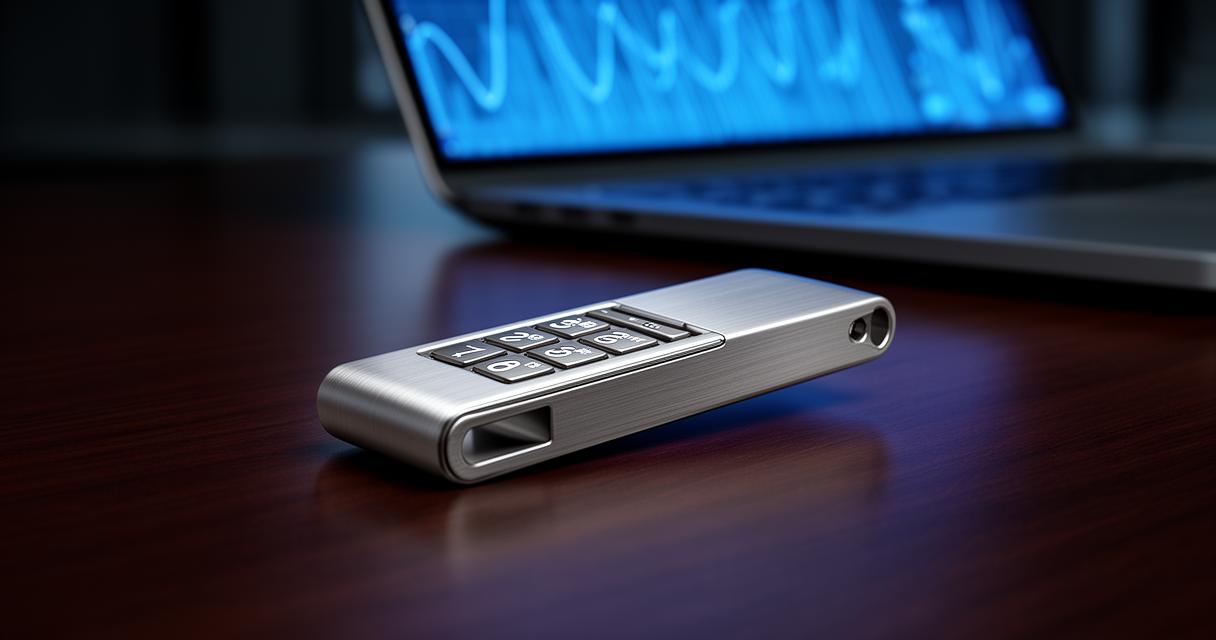
Hardware-encrypted USB drives build security directly into the device itself, often requiring a PIN entered on a physical keypad before any data becomes accessible. This approach removes reliance on software vulnerabilities and offers a strong defence against tampering. For organisations managing sensitive records across teams, combining hardware encryption with clear access control policies and strong authentication methods creates a robust framework that supports both ransomware protection and general data loss prevention.
Teleworking arrangements and BYOD policies add complexity here, since personal devices connecting to company systems introduce new vulnerabilities. Specific security measures, including mandatory encryption for any removable media used in remote work, help close these gaps. Regular training sessions reinforce good habits among staff, ensuring encryption isn't treated as an afterthought but as a routine part of handling sensitive data.
Creating secure bootable usb drives with proper format selection
For those needing bootable USB drives, perhaps for system recovery or running a secure operating system, format selection matters considerably. Choosing the right file system, alongside encryption tools compatible with bootable environments, ensures the drive remains both functional and protected. It's a slightly more technical process, but the payoff is a portable, secure tool that can be trusted even in higher-risk scenarios. As data protection regulations continue to tighten and the market for security solutions expands rapidly, taking these precautions now positions individuals and businesses well for whatever compliance demands lie ahead.